Give distracting apps one daily limit
Pick the apps you want to cut back on. Drifty adds up the time you spend across those apps and blocks them when you reach your shared limit.
drifty
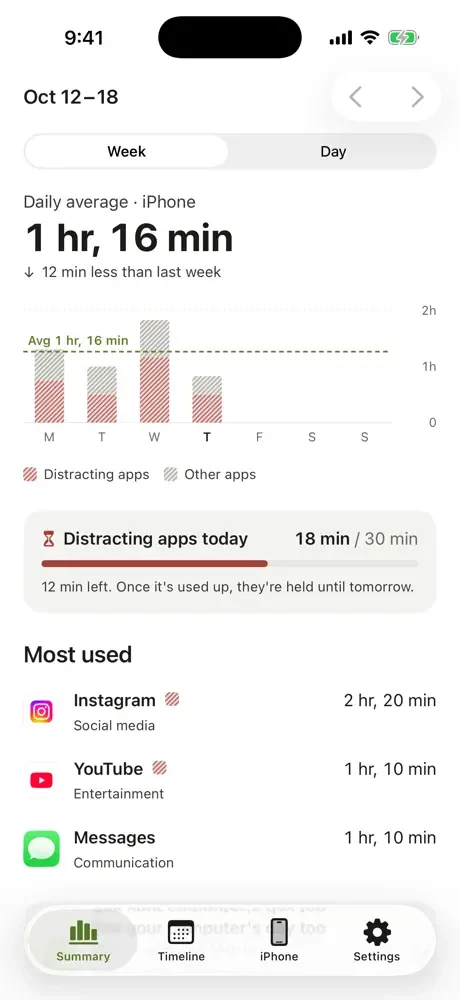
You opened Instagram for five minutes. Half an hour later, you’re still scrolling. With Drifty, you pick the apps that pull you in and set a daily limit. When those apps use up the time you gave them, Drifty blocks them until tomorrow. You can also block them for a focus session when you need to get something done.
Your workflow
Pick the apps you want to cut back on. Drifty adds up the time you spend across those apps and blocks them when you reach your shared limit.
Start a focus session before you sit down to study, write, or work. Drifty blocks your selected apps until the session ends, even if you still have time left in your daily limit.
See your most used apps, when you picked up your phone to use them, and how your screen time changes across the week. Your selected app names and Screen Time figures stay on your iPhone.
If you want to limit your own scrolling, look for an app that lets you block specific apps, set a daily limit, and start a focus session when you need one. Drifty gives you all three for free, without asking you to create an account.
Yes. App blocking, daily limits, focus sessions, and the iPhone Screen Time view are free. Drifty Pro is needed if you want to see your Mac or Windows activity timeline on your iPhone.
Yes. If you hit your daily limit and need to open a blocked app, choose 5 more minutes to open it briefly.
Free to use · No account needed for blocking · Requires iOS 26 or later