Keep working. Drifty tracks the time.
Jump from Excel to Teams to a browser tab and back. Drifty records the activity in the background, so you can review it later without remembering to start a timer every time you switch tasks.
drifty
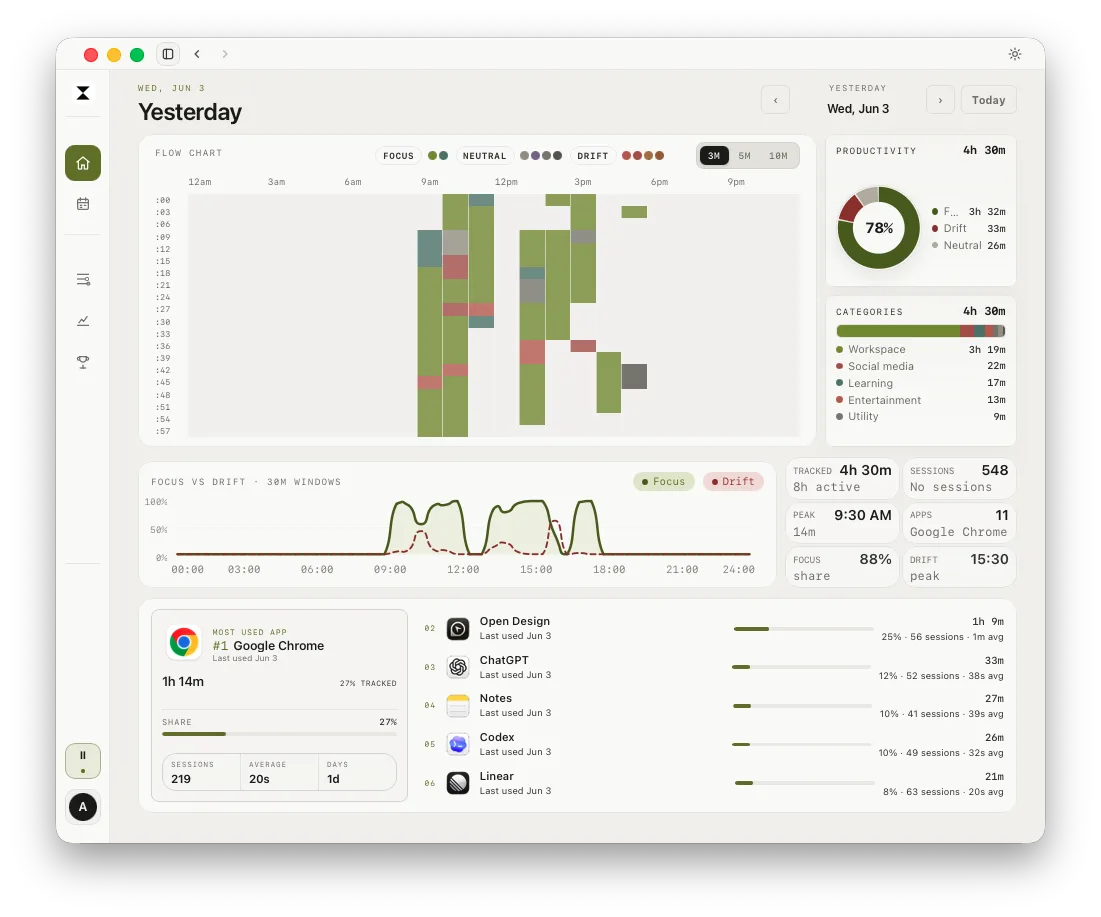
How much of your day went into the report, and how much went to everything around it? Drifty tracks apps, supported websites, and idle time in the background on your Windows PC. Open Your Day to see where the hours went, without starting a timer.
Your workflow
Jump from Excel to Teams to a browser tab and back. Drifty records the activity in the background, so you can review it later without remembering to start a timer every time you switch tasks.
An hour in Chrome could be research or a rabbit hole. Drifty uses available window titles and website details to give each block of time more context. With AI classification on, you can review and correct Focus, Neutral, and Drift labels.
Your history stays on your PC by default, and screen recording starts off. You can choose to run AI classification on your computer, use your own API key, or use Drifty Cloud.
Yes. Drifty runs on Windows 10 and Windows 11 (x64). Download the Windows installer, run it, and open Drifty from the Start menu.
Yes. Automatic time tracking, the daily timeline, and Local AI classification are available on the free plan. Drifty Pro adds hosted AI and optional sync across computers.
Yes. Screen recording is off by default. Drifty builds your timeline using the apps you open, available window titles, and supported website activity.
Download drifty and start reviewing your activity timeline.