Research belongs in the story
Review the context around a documentation visit and see how it fitted into your work.
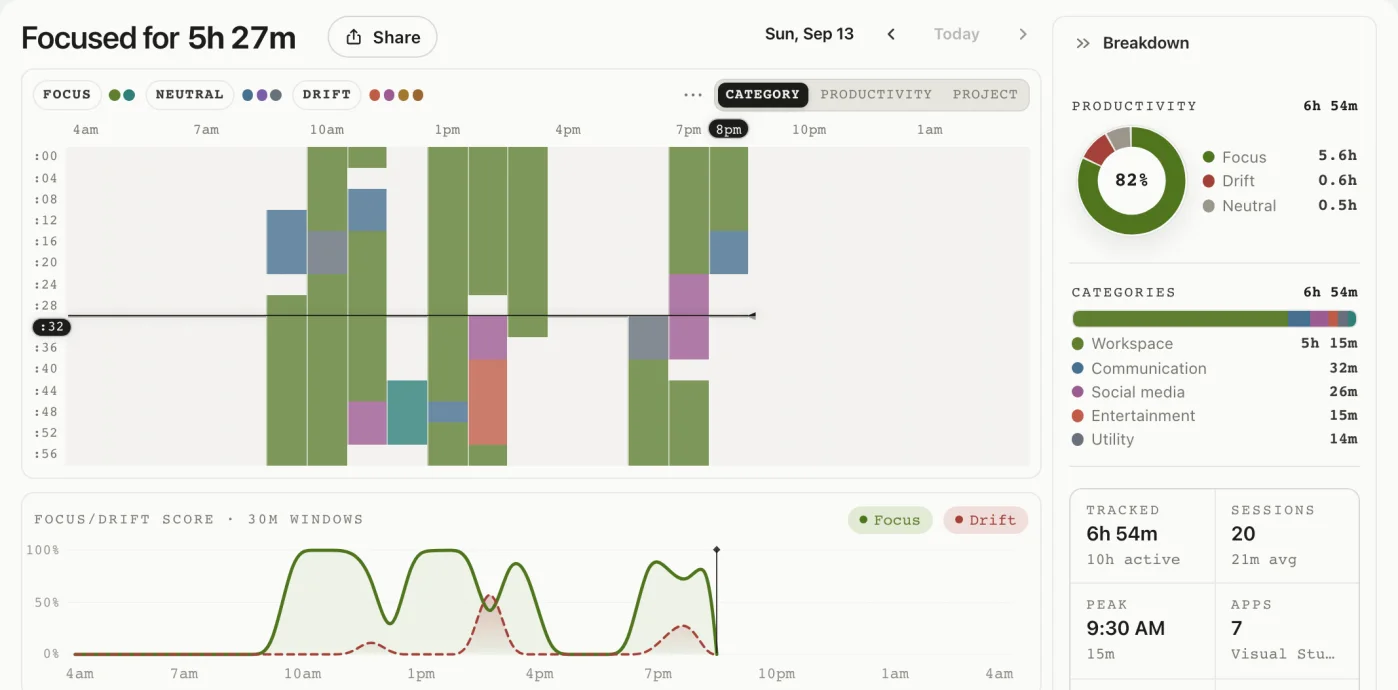
Follow code, docs, and reviews in one automatic activity record. See where work held together, and where you drifted away.

Editor to documentation. Documentation to a pull request. See the flow behind those switches, beyond a total for each app.
Review the context around a documentation visit and see how it fitted into your work.
Find the stretches of messaging or browsing that interrupted a coding block.
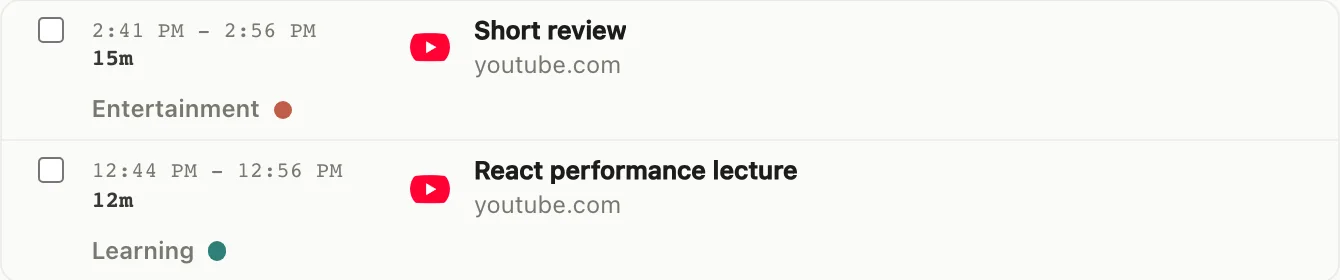
A React performance lecture and a short review video appear as different activities in the same service. Look at what happened behind the app name.

drifty follows the activity visible on your Mac and lets you review the classification. It does not turn private source activity into a manager dashboard.
| Workflow moment | What the record can reveal | What it does not replace |
|---|---|---|
| Editor → docs → terminal | Context switches that still belong to one coding task | Issue status or repository history |
| Review → chat → browser | Collaboration that supported the work versus a check that became a detour | Team presence or employee monitoring |
| End-of-day review | Focus blocks, drift patterns, and classifications you can correct | A billable timesheet or automatic project accounting |
Review activity time and focus patterns in Your Day, then use what you notice to plan your next session.
No. drifty records Mac activity automatically, so switching tasks does not require starting a new timer.
Classification uses activity context, rather than a fixed verdict for each app. Documentation and reviews can be classified as focus. You can review the result.
You can review and correct the classification of recorded activity. AI classification is a starting point for understanding your work.
Activity recording uses the active app, window title, and available browser context. It does not read an entire repository or collect source code through keystroke logging.
Let the record help you understand how you work, without another timer to manage.