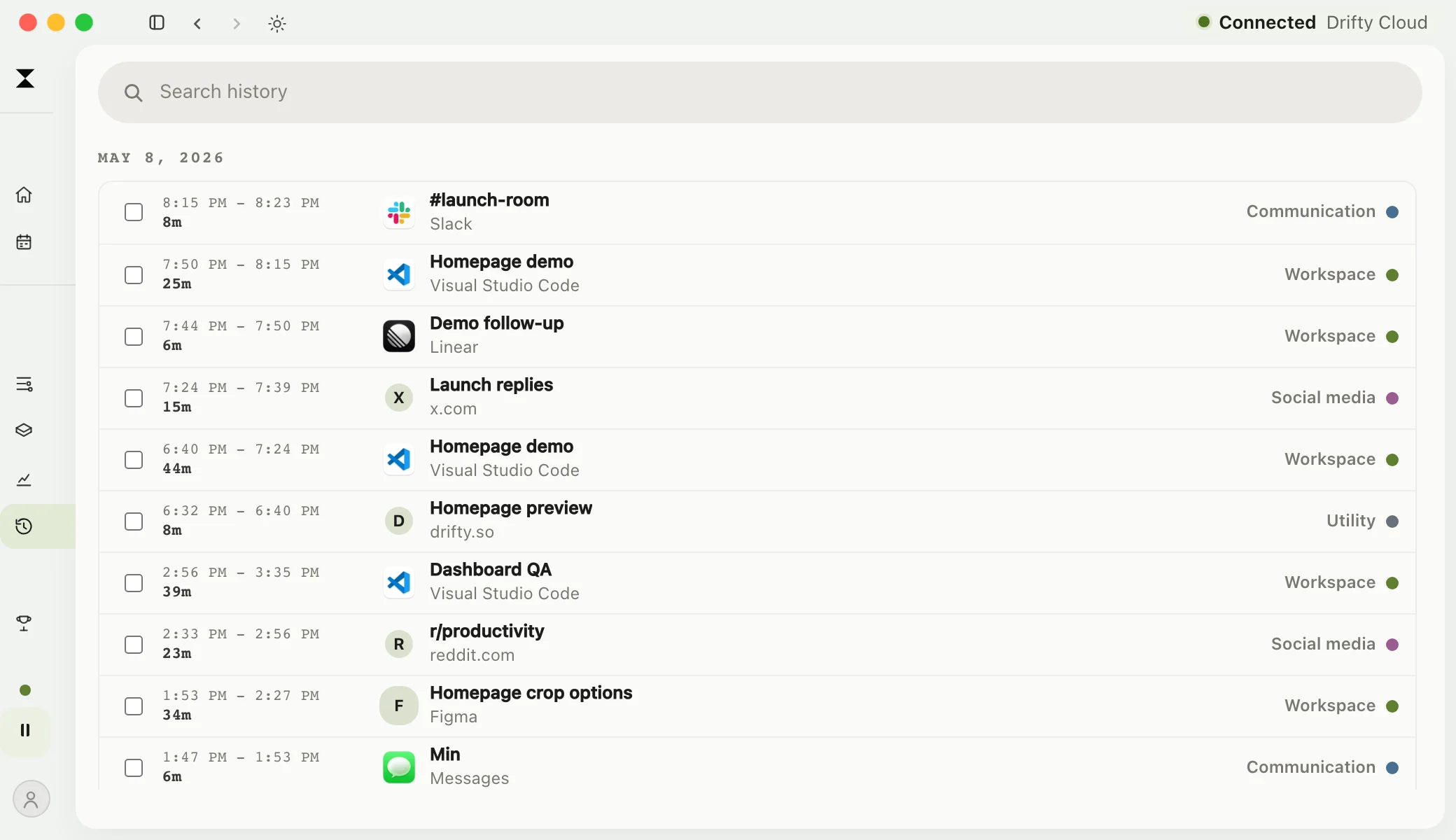
drifty records app and supported website activity as you work. Review the timeline and see where your day went without starting a timer. For Apple Silicon Macs running macOS 13 or later.
While tracking is running, drifty captures observable Mac activity. The timeline gives you a record to check when you ask where an afternoon went. Recording and classification are separate: a session can be captured before its AI label is ready.
01
Active apps and timing
See which app was in front, when captured activity happened, and how long it lasted. An open app does not prove what you accomplished; work away from your Mac needs separate context.
02
Supported websites and windows
Site information, available browser context, and window titles can add detail when permissions and browser support allow. Titles may include sensitive work details.
03
Reviewable classifications
AI adds categories and focus labels to captured blocks. Check the result in Your Day and correct a label that misses the point.
Automatic tracking is only the capture layer.
The products below all record activity without a timer, but they differ in how the record becomes useful and where that record is handled.
Swipe to see every column →
Tool
Automatic capture
What happens next
Documented data boundary
drifty
Apps, sites, windows, and sessions on Mac
Context-aware focus and drift classification
Complete timeline local by default; Local AI stays on the Mac
Timing
Apps, documents, and domains on Mac
Project-oriented review and optional AI summaries
Local database by default; optional Sync merges tracking data in its account
ActivityWatch
Apps and active-window history
Local event history plus user-authored rule categories
Usage data stays local according to its privacy documentation
Rize
Automatic activity capture
AI client, project, and task tagging
Its policy defines tracked activity as User Data retained while subscribed; optional Screen Text can use Vertex AI cloud processing
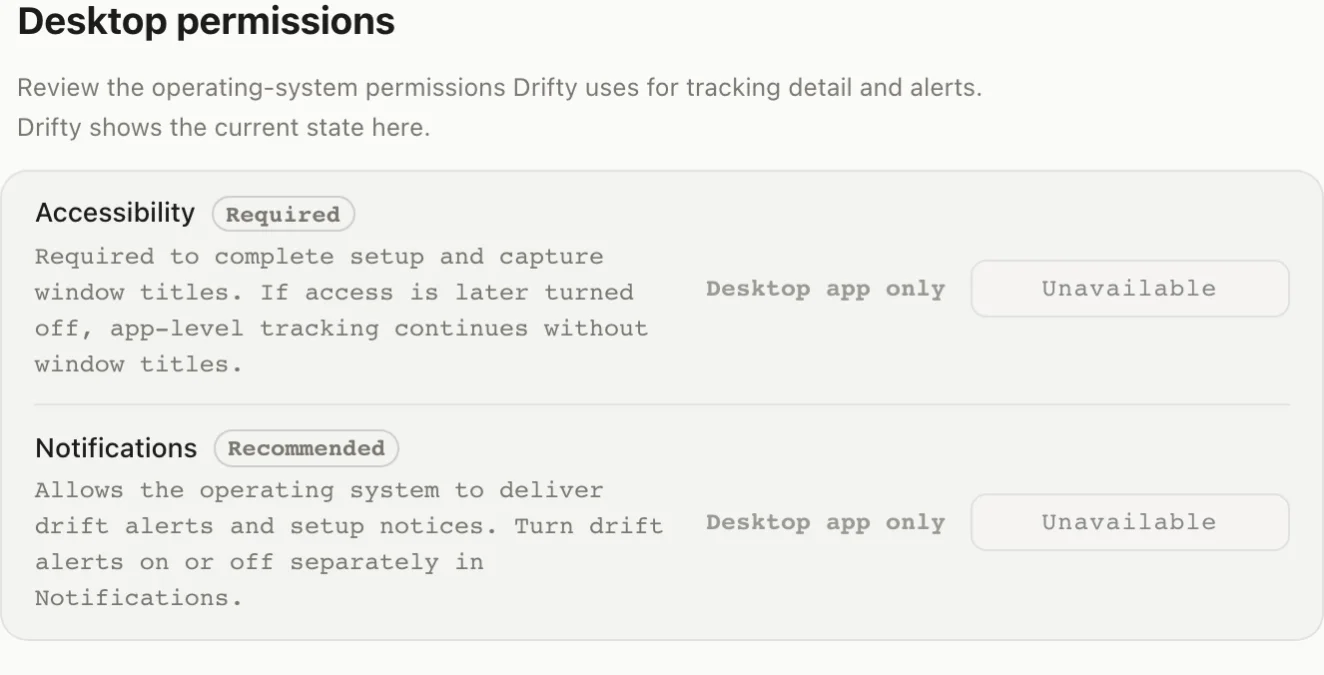
Grant Accessibility during setup to capture window titles. If you revoke it later, app-level tracking can continue with less detail. Notifications are optional. Check the permissions guide before enabling more context.
Review the permissions for recordingBrowser preview · permission guidanceView full-size screen
Keep workingthrough task changes
Moving between an editor, documentation, and a teammate should not require a new timer each time. drifty records those switches in the background. Open Your Day later to review the sequence and activity breakdown.
Start with a normal workday
Install drifty, choose where AI classification runs, and grant Accessibility during setup for window titles. Leave tracking enabled while you work, then review Your Day before you finish. Check unfamiliar activity and wrong labels. Launch at login is optional for later days.
Pause when you want to
Pause tracking from the menu bar. drifty does not record your screen or save screenshots. The complete timeline stays on your Mac by default; remote AI, Device Sync, and analytics have separate settings.
Local capture continues without internet. Cloud and OpenRouter classification wait for a connection and can catch up later. Local AI can classify offline once its model is ready.
What happens when I leave my Mac?
drifty uses macOS idle information to stop extending the current activity segment when you step away. It cannot tell whether you are taking a break or working on paper.
Does drifty need Accessibility permission?
Accessibility is required to complete setup and capture window titles. If you turn it off later, app-level tracking can continue, but the record has less detail. Notifications are optional.
Can I use the record for client billing?
It can help you recall work done on your Mac. Review the record before billing, account for work away from the computer, and check time against your client agreement. Captured activity alone does not establish billable hours.
Start with free automatic tracking
The free version includes local tracking, a timeline, and daily review. Local AI can classify after you download a model. Hosted drifty Cloud AI is part of Pro; using your own API key may involve provider charges.