ActivityWatch Alternatives for Mac: 4 Options Compared
Compare ActivityWatch with four Mac time tracking options. Learn which tools suit local activity records, focus review, client timesheets or project reporting.
At 5:18 p.m., a designer opens their ActivityWatch dashboard and finds the day they remember only in fragments: hours in a browser, a block in a design app, and a long stretch marked as idle. The record is there, but one question remains: which hours went to the client project, and which were research for tomorrow?
If you want an ActivityWatch alternative for Mac, choose based on the missing part of your workflow. Keep ActivityWatch for free, open source activity history stored locally. Consider drifty when you want a daily focus and drift review, Timing when you need Mac activity organised around projects, or Timely and Toggl Track when client or team time entries matter. None can infer every task perfectly from app activity, so review still matters.
First, decide what you want ActivityWatch to do
ActivityWatch is a free, open source tracker that records computer use through separate watchers. Its documentation says activity data is stored locally by default. Browser activity depends on using the relevant browser watcher or extension. That modular setup gives you control over what is collected, but it also means your results depend on how you configure it.
Before switching, name the actual problem:
You have a timeline but do not review it.
You want a clearer picture of focus and interruptions.
You need activity grouped into client projects.
You want a team timesheet and approval process.
You want a simple setup without configuring watchers.
You need a different privacy or data control model.
These are different needs. A private time tracker for Mac is not automatically a client billing tool, and a billing tool is not automatically a focus coach.
ActivityWatch alternatives compared
Tool | Best fit | What to check |
|---|---|---|
Free, open source local computer activity history | Which watchers and browser extensions you need, and whether you want to configure the setup yourself | |
Personal day review with focus and drift categories | AI classification mode, privacy settings, and whether personal review is enough for your workflow | |
Mac activity organised around projects and billable time | Project setup, reports, integrations, and current plan limits | |
Teams reviewing captured activity into project time entries | Whether its team timesheet workflow matches your approvals and reporting needs | |
People who want timers and time entries, with an optional activity timeline | How much of your work you want to track with timers and how you use Timeline |
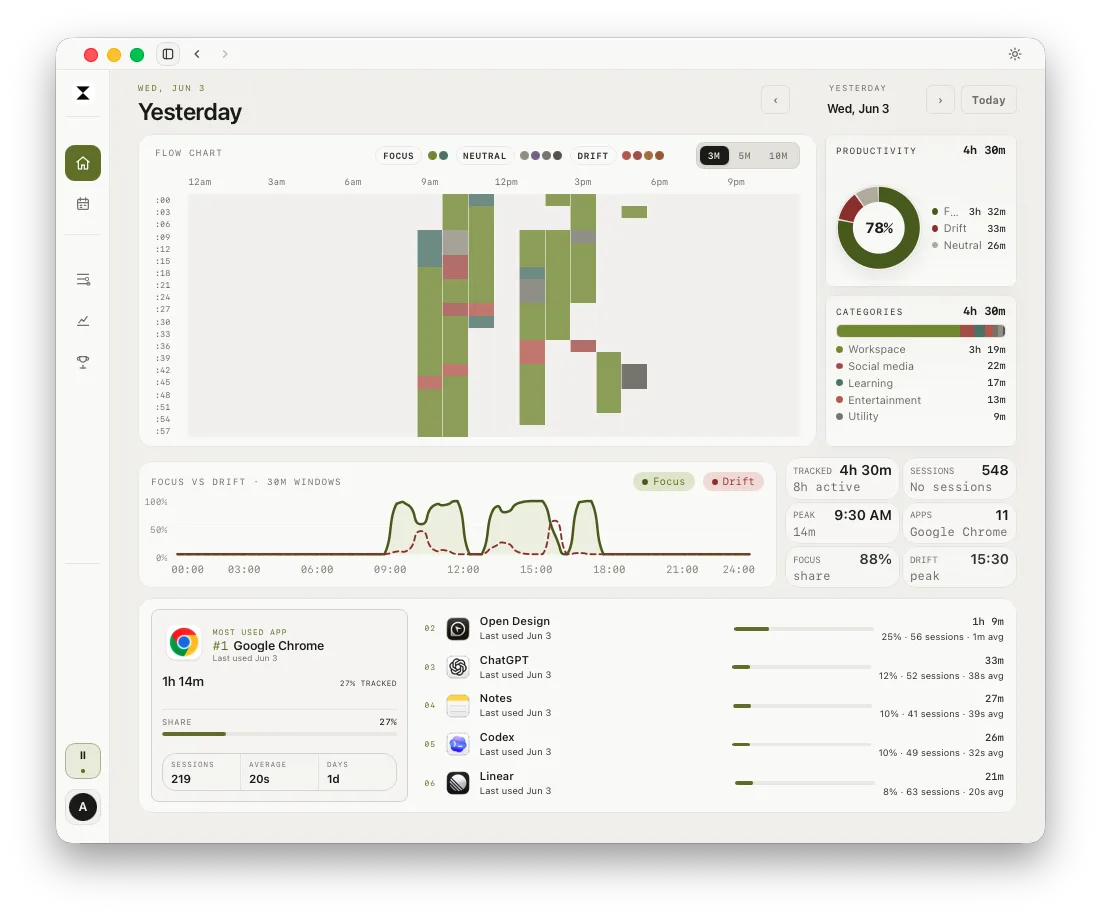
drifty records activity and presents a timeline for later review. Its local database is the source of truth, while classification can be set to drifty Cloud, Local AI, or your own key. Those choices affect what information is sent for classification, so check the privacy controls before enabling a cloud route. drifty is built for personal work review, not client invoicing or team timesheet approval.
Timing is a more project-centred option for Mac users who want automatic activity associated with projects and billable records. Timely captures computer activity with its Memory app and supports a team timesheet workflow. Toggl Track is useful when people want explicit timers and editable time entries, with its Timeline as a separate aid for remembering activity. Check each product's current documentation and plan details before choosing.
When staying with ActivityWatch makes more sense
Stay with ActivityWatch if the main value is local storage, open source software, and the ability to control or extend the setup. If you are comfortable checking watchers and looking at the data yourself, changing apps may add complexity without solving a real problem.
An alternative is worth testing when the setup takes more attention than the insight you get, or when you need project reports and review tools ActivityWatch does not aim to provide as a finished workflow. Consider whether the missing step is actually a habit: opening a dashboard once a week may be enough if the tool already captures what you need.
How to switch without losing your history
Make a backup before changing anything. List what you currently use, such as app activity, browser activity, idle detection, custom watchers, and exported reports. Then run the candidate tool beside ActivityWatch for several working days, if your privacy requirements allow it.
Compare three ordinary cases: a meeting heavy day, a browser research day, and a focused task day. Ask whether the new timeline helps you reconstruct work faster. If you bill clients, also check whether the correct project can be assigned and whether the resulting report can be reviewed before invoicing. Keep the old data until the new routine works.
If the main need is a private Mac timeline with a clearer daily review, see drifty's private time tracking approach. If you need client reports, evaluate project and billing features directly rather than choosing from privacy labels alone.
Next step
Download drifty for Mac or Windows to try personal activity review. For more context, read automatic vs manual time tracking or compare automatic time trackers for Mac.
FAQ
Is ActivityWatch a good time tracker for Mac?
It can be a good fit if you want a free, open source record of computer activity stored locally. It is less suited to people who expect automatic client invoicing or a managed team timesheet workflow without extra setup.
Does ActivityWatch send data to the cloud?
ActivityWatch's documentation says collected computer usage data is stored locally by default. Your own setup, extensions, or optional syncing choices can change the data flow, so check the components you install.
What is the best ActivityWatch alternative for Mac?
There is no single best choice for every need. drifty focuses on personal review, Timing on Mac project and billable tracking, Timely on team time workflows, and Toggl Track on timers and time entries. Keep ActivityWatch if its local and open source model already works for you.
Is drifty a replacement for ActivityWatch?
drifty can replace the activity review role for someone who wants a ready made timeline and focus or drift categories. It is not a like for like open source replacement, and people should check its AI and privacy settings to choose how classification runs.
Sources
ActivityWatch privacy, ActivityWatch FAQ, drifty privacy and data boundaries, drifty AI options.
See your workday with context.
Let drifty capture the day automatically, then review focus and drift without rebuilding it from memory.