Best RescueTime alternative for Mac.
RescueTime is a strong focus and timesheet tool. But if your real problem is understanding focus, drift, and mixed-use websites across your Mac, a Mac native context tracker may be the better fit.
People usually search for a RescueTime alternative after they have already learned something useful: a report can show where time went, but it does not always explain what the time meant.
RescueTime is useful when you want broad productivity reports, Focus Sessions, website and app blocking, and Timesheets. The official product positions RescueTime as two tools in one app: Focus for concentration and automatic app and website tracking, and Timesheets for client, project, or task tracking.
That is a good fit for many people. It is not always the best fit for Mac users who care most about local-first activity context, mixed-use websites, and the moment a useful work session turns into drift.
Quick answer
| Need | Best fit | Why |
|---|---|---|
| Focus sessions and blocking | RescueTime | Good when you want broad reports, goals, alerts, and blocking in one mature productivity suite. |
| Mac native focus and drift context | drifty | Better when your question is not only “how long?” but “was this focus, neutral work, or drift?” |
| Client reports and project billing | Timing or RescueTime Timesheets | Better when the output needs to become timesheets, reports, or invoice support. |
| Team visibility | Rize or RescueTime Team | Better when managers need a shared view of team time and workload signals. |
If you are still mapping the wider category, our automatic time tracker comparison for Mac covers RescueTime, Rize, Timing, and drifty side by side. For a team-oriented option, we also compared Rize vs drifty separately.
What RescueTime does well
RescueTime is not a weak product. It has been in the category for a long time, and its current positioning is clear: Focus helps with app and website tracking, goals, alerts, and blocking; Timesheets helps with projects, clients, tasks, and reports.
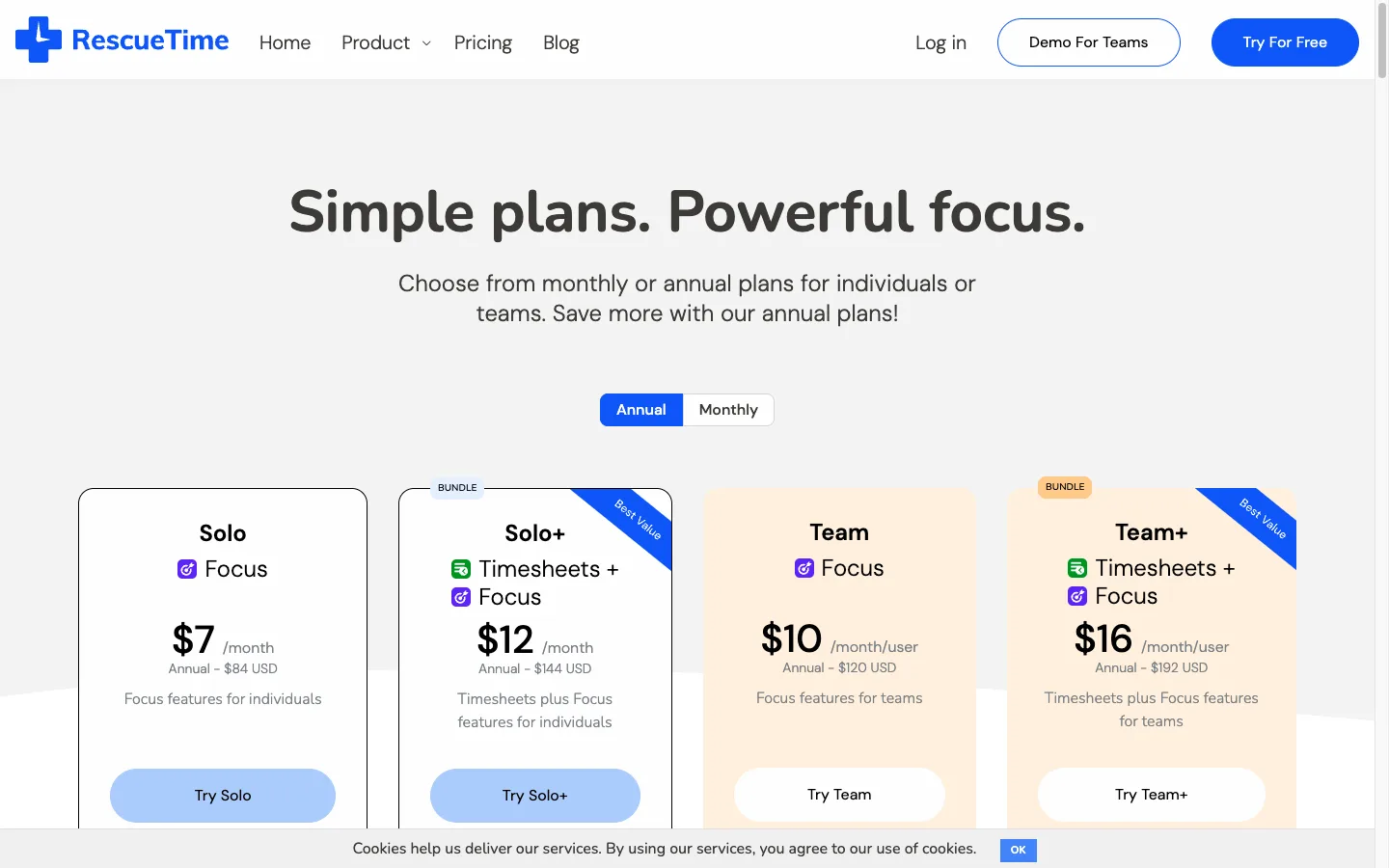
Its annual pricing starts at $7 per month for Solo Focus and $12 per month for Solo+ Timesheets plus Focus. Team plans start at $10 per month per user for Focus and $16 per month per user for Team+ Timesheets plus Focus.
Why Mac users look for an alternative
The common issue is not that RescueTime fails to track time. The issue is that Mac work is increasingly contextual. A browser tab can be research or drift. Slack can be an unblock or a context-switch loop. YouTube can be learning for ten minutes and avoidance for the next forty.
That is where simple productivity scores or app-level categories can feel too broad. They tell you what was open, but not always what the session was doing to your workday.
Best RescueTime alternative for Mac focus context: drifty
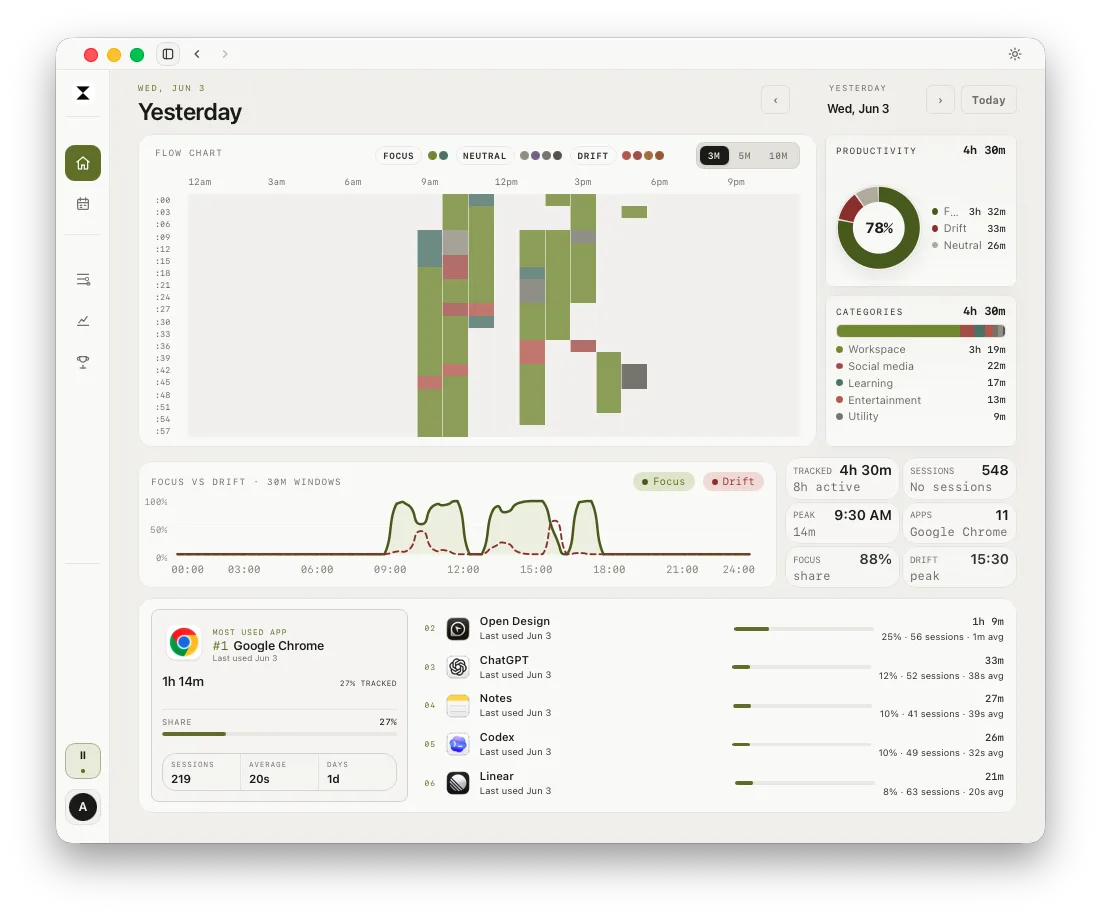
drifty is a Mac native app built around automatic activity capture and review. It tracks the frontmost macOS app as the base activity signal, can use window title context with Accessibility permission, and keeps local activity history as the source of truth by default.
The reason to choose drifty over RescueTime is not that you want a bigger dashboard. It is that you want a more useful explanation of your day: focus, neutral activity, drift, and the path back to work.
Where drifty is different
| Area | RescueTime | drifty |
|---|---|---|
| Main job | Focus, blocking, reports, and timesheets. | Mac native focus/drift context and workday review. |
| Tracking model | Automatic app and website tracking. | Automatic Mac activity capture with app, site, title, idle, and session context. |
| Mixed-use sites | Useful reports, but domain-level categories can be broad. | Designed to separate useful work from drift inside the same app or website. |
| Privacy posture | Cloud reports, with no keystrokes, form input, screenshots, or page content according to RescueTime FAQ. | Local-first activity history, optional AI classification, and no continuous screen recording. |
| Best for | People who want goals, blocking, and timesheets. | People who want to understand and recover from drift on Mac. |
When RescueTime is still the better choice
Use RescueTime if your priority is a mature focus suite with blocking and timesheets. It is also a stronger fit when you want team reports, project timesheets, and a known category leader with years of history.
Use drifty if your priority is personal Mac context: when work crosses Chrome, Slack, VS Code, documents, meetings, and mixed-use websites, and you want to know when the session changed.
How drift recovery changes the category
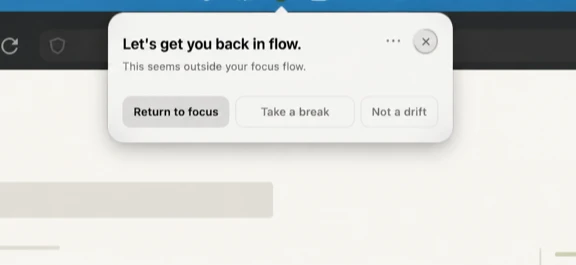
Blocking is useful when the answer is simple: “do not open this.” But many real workdays are not that clean. The same surface can be useful and distracting in the same hour. In that case, the better question is not only what to block. It is how quickly you can notice drift and return to the right surface.
Recommendation
If you want a RescueTime alternative because you need a cheaper or simpler app, start by comparing pricing and timesheet needs. But if you want an alternative because RescueTime tells you what happened without explaining the session, try a Mac native context tracker.
For Mac users who care about focus, mixed-use websites, and drift recovery, drifty is the more specific alternative. For teams and billing-heavy workflows, RescueTime may still be the better fit.
FAQ
What is the best RescueTime alternative for Mac?
For Mac native focus and drift context, drifty is the best fit. For project reports, Timing is worth comparing. For team visibility, Rize and RescueTime Team are closer alternatives.
Is drifty like RescueTime?
Both are automatic tracking tools, but the emphasis is different. RescueTime focuses on productivity reports, blocking, and timesheets. drifty focuses on Mac activity context, focus/drift classification, and recovery.
Does drifty record the screen?
No. drifty is built around activity context, not continuous screen recording.
Should I switch from RescueTime to drifty?
Switch if your main problem is understanding mixed-use work and drift on your Mac. Stay with RescueTime if blocking, timesheets, or team reports are your main needs.
Try a Mac native RescueTime alternative.
drifty helps you review your day as focus, neutral activity, and drift without asking you to reconstruct everything from manual timers.