Timely Alternative for Mac: Compare Your Options
Timely combines automatic activity capture with time entry and team workflows. Compare alternatives by whether you need client reporting, a personal focus review, local activity history, or a timer first system.
Picture a consultant finishing Friday with a timesheet due and a week of browser tabs, documents, calls, and project changes behind them. They do not need another chart. They need to know which blocks belong to which client, and whether those hours can be reviewed before the invoice goes out.
That is why the best Timely alternative depends on what you need Timely to do. Keep Timely if its automatic Memory capture and team timesheet workflow fit. Compare Timing or Toggl Track for project time and billing workflows, ActivityWatch for free local activity history, and drifty if your main goal is a personal review of focus and drift rather than client timesheets.
What Timely does, and where review still fits
Timely's Memory app for Mac captures activity such as the applications and websites in use, along with context such as window titles, URLs, and sometimes file names, depending on the app. Users can pause it, create schedules, and set rules. Captured activity can help people build a record of their day and prepare time entries.
Automatic capture reduces the need to remember every start and stop. It does not know the business meaning of each window by itself. A document could belong to a client, internal planning, or personal work. The person still needs to check and assign time correctly.
That distinction matters most when selecting a Timely alternative for Mac. Compare not only the capture feature, but also how the tool turns activity into accepted project time.
Timely alternatives compared
Tool | Choose it when | Main trade off |
|---|---|---|
You want automatic capture connected to projects and team timesheets | Captured activity and time entries still need review and correct assignment | |
You want Mac activity sorted into projects and billable reports | Check team approvals, integrations, and plan limits for your use case | |
You prefer timers and editable time entries, with Timeline to help recall activity | Timeline is optional and is not the same as a fully reviewed timesheet | |
You want free, open source computer activity stored locally | You manage the setup and it does not provide a ready made team billing workflow | |
You want to review your own day for focus and drift | It is not designed to replace client billing or team time approval |
Choose a project workflow when the timesheet is the deliverable
If you submit hours to clients, compare project assignment, billable labels, export formats, approval steps, and whether managers can review entries. Timely's strength is connecting activity capture to a time workflow. Timing and Toggl Track may suit different project routines. Confirm current product plans and features against the size of your team and required reports.
A low effort capture system is only useful if it creates a timesheet you trust. Try a sample workweek that includes meetings, shared documents, and switching between clients. Then check how much time you spent correcting the entries.
Choose personal review when you need to understand your own workday
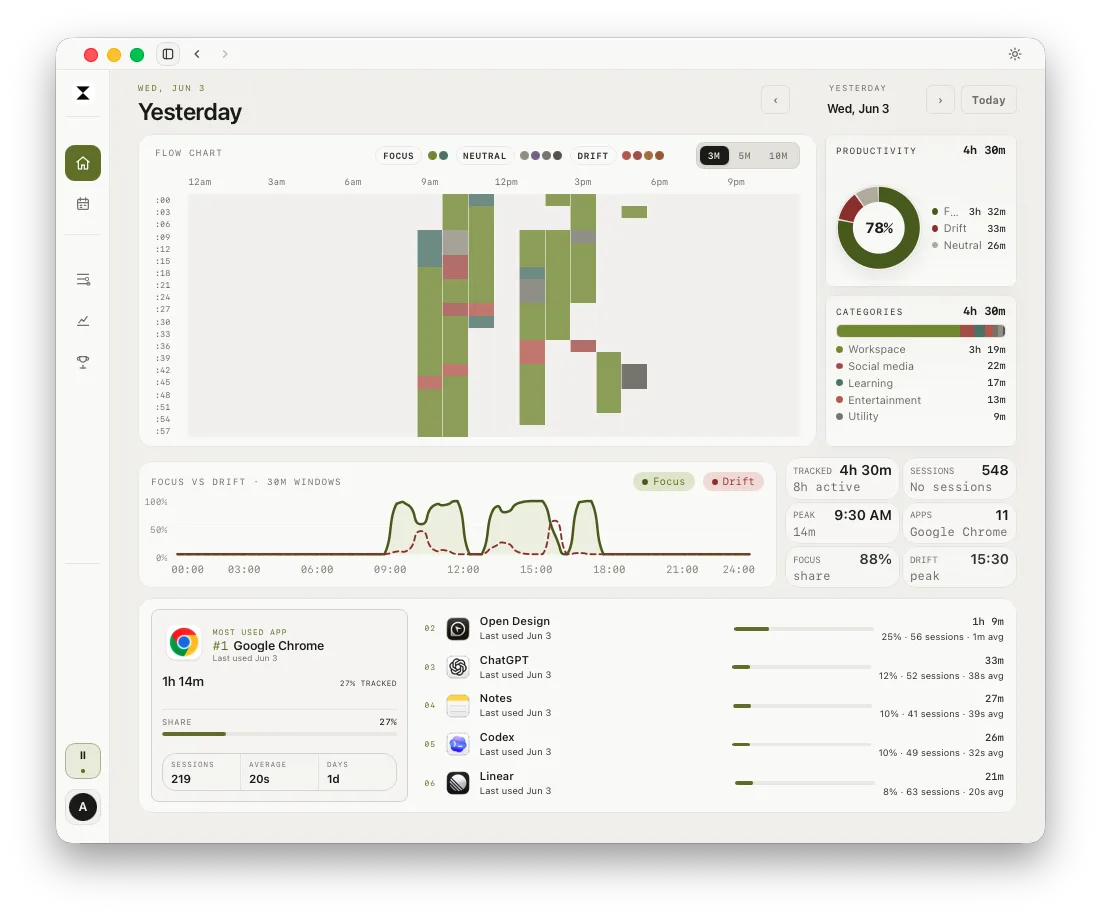
If you are not submitting a timesheet, a simpler question may matter more: when did focused work happen, and what interrupted it? drifty records activity in the background and provides a timeline for daily review. Focus and drift labels can help explain patterns, but they are categories to review, not an objective measurement of work quality.
drifty keeps the tracking history in a local database. Classification may use drifty Cloud, Local AI, or your own key depending on settings. Check the privacy and data controls to understand the choices. This makes drifty a possible Timely alternative for personal reflection, not an equivalent replacement for Timely's project timesheet system.
Questions to ask before leaving Timely
Do I need client billing, team review, or only a personal record?
Can the alternative assign captured activity to the right project?
Can I pause tracking or set work hours when using a personal Mac?
What exactly is captured, where is it stored, and what syncs?
How much time does the daily or weekly review take?
Can I export the records I need before switching?
If Timely already gives your team reliable timesheets, a switch may not help. Identify a specific friction point first, such as the cost, capture settings, review time, or reporting workflow. Then compare the alternative against that problem.
A practical one week test
Keep the current workflow active while you test another app, if your privacy requirements and workplace policy allow it. Use the same projects and compare the time entries at the end of each day. Record the minutes needed to correct the timeline, the number of missing blocks, and whether the final report contains what your client or manager needs.
Do not compare only the amount captured. A tool that records more activity can create more review work. The useful result is a record that is accurate enough for its purpose and manageable enough to maintain.
Next step
Download drifty for Mac or Windows to try personal activity review. For more context, read automatic vs manual time tracking or compare automatic time trackers for Mac.
FAQ
What is the best Timely alternative for Mac?
For team and client timesheets, compare Timing and Toggl Track against your billing and approval process. For local activity history, consider ActivityWatch. For personal focus review, drifty may fit, but it is not a team timesheet replacement.
Does Timely automatically track time on Mac?
Timely's Memory app captures active desktop activity on Mac. Users can pause or schedule tracking and review the captured activity. Captured activity does not automatically guarantee that every project and billable entry is correct.
Is drifty the same as Timely?
No. Both can capture activity automatically, but they focus on different outcomes. Timely supports project time and team timesheets. drifty is focused on personal day review, with configurable classification options.
Can automatic time tracking create client invoices by itself?
Do not assume so. Activity capture can help reconstruct work, but you should verify project assignments, billable rules, and approval requirements before using records for invoices.
Sources
Timely Memory for Mac, What Timely captures, Timely data access, drifty docs.
See your workday with context.
Let drifty capture the day automatically, then review focus and drift without rebuilding it from memory.