Best Chrome extensions for time management.
A practical guide to choosing browser trackers, blockers, timers, and tab tools, plus the point where a Mac native app becomes the better solution.
If your workday lives in Chrome, it is tempting to solve every focus problem with another extension. That can work when the problem is truly browser-only: too many tabs, one distracting website, or a timer you need beside the address bar.
But Chrome extensions have a boundary. They see the browser. They usually do not understand what happened before you opened Chrome, whether Slack pulled you away, whether VS Code was the real focus session, or whether YouTube was research for five minutes and drift for the next thirty.
That distinction matters for drifty. drifty used to be closer to the browser-extension category, but it is now a Mac native app. The product direction changed because time management is rarely contained inside one browser tab. The full workday happens across apps, sites, idle time, and context switches.
That is the lens this guide uses. We still compare Chrome extensions because they solve real browser problems, but the recommendation is more specific now: use an extension for a narrow browser habit, and use a Mac native app when the problem is your whole work rhythm.
Quick answer: match the tool to the problem
| Problem | Best category | Why |
|---|---|---|
| I do not know where browser time goes | Chrome website tracker | Shows domain-level time so you can see which sites dominate your day. |
| I keep opening one site | Website blocker | Works when the distracting site has little legitimate work value. |
| I need a work container | Timer or Pomodoro extension | Turns an open-ended session into a defined block that is easier to start. |
| My browser is too messy | Tab manager | Reduces open loops and browser clutter before it becomes a focus problem. |
| My work spans Chrome and Mac apps | Mac native tracker | Captures the wider context across apps, sites, idle time, and sessions. |
Trackers: for “where did the time go?”
Use a browser tracker when you genuinely do not know which sites consume your time. These tools are good for a quick reality check, but they can be too broad when the same domain has multiple meanings.
| Tool | Notes | Best fit |
|---|---|---|
| WebTime TrackerFree · Chrome | Lightweight domain-level reporting. Useful if you just want a clean number for each site. | Quick browser audit |
| RescueTimeDesktop + browser support | Strong at broad productivity reports and focus sessions. Less precise when one website can be both work and distraction. We compared it with Mac native options in our RescueTime alternative guide. | Weekly self-audit |
Blockers: for “I keep going there”
Blockers are powerful when the target is obvious. They are weaker for mixed-use sites like YouTube, Reddit, X, or news, where a full domain block can interrupt legitimate work.
| Tool | Notes | Best fit |
|---|---|---|
| StayFocusdChrome extension | Sets time budgets and hard limits for distracting sites. Good for clean wins on single-purpose websites. | Simple site limits |
| Cold TurkeyMac/Windows app | Much harder to bypass than a typical extension. Use it when you want a strict writing or study sprint. | High-control blocks |
Timers: for “I need a container”
Timers help when starting is the problem. A 25-minute container is less intimidating than “focus until this is done.” They are simple, but they only work if you remember to start them. If forgetting to start timers is exactly your issue, see how to track your workday without starting timers.
| Tool | Notes | Best fit |
|---|---|---|
| Toggl TrackExtension + apps | Manual timer with tags and reports. Best when you need a work log or billable records. | Freelancers, agencies |
| ForestFocus timer | Pomodoro with emotional commitment. Better for solo focus than detailed time analysis. | Deep work blocks |
Tab tools: for “my browser is the problem”
Sometimes the focus issue is not motivation. It is browser clutter. If your open tabs are acting like a second task list, fix that before installing a stricter blocker.
| Tool | Notes | Best fit |
|---|---|---|
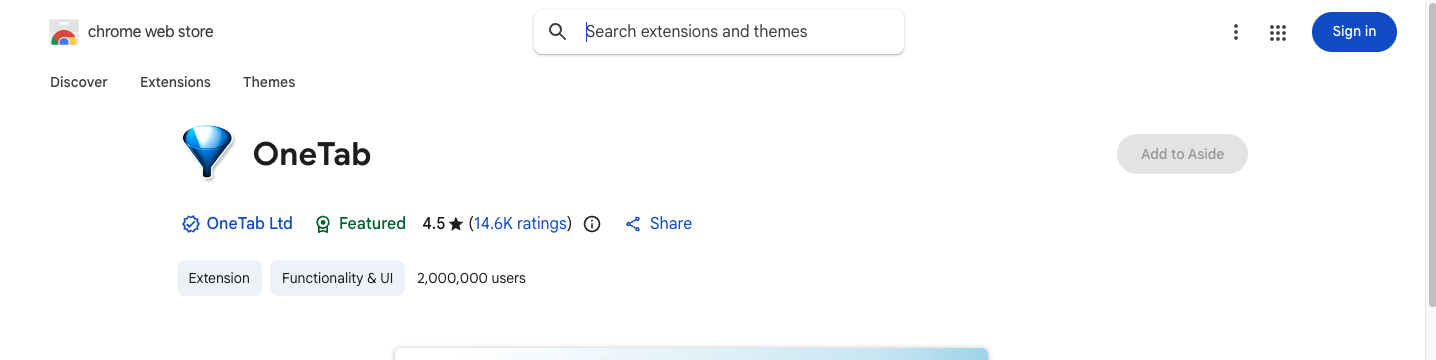
| OneTabChrome extension | Collapses open tabs into a list. Useful for lowering visual clutter and memory pressure. | Tab overload |
| WorkonaWorkspace manager | Groups tabs by project or client. Better for people with many distinct work contexts. | Project workspaces |
When a Mac native app is better than a Chrome extension
Choose a Chrome extension if the problem begins and ends inside Chrome. Choose a Mac native app if the problem is the shape of the whole day. Our automatic time tracker comparison for Mac covers that second category in detail.
drifty is now in the second category. It runs on your Mac and focuses on activity context: apps, websites, idle time, focus sessions, drift patterns, and the path back to work. That means it is not trying to be another Chrome extension. It is trying to answer the question most extensions cannot answer: what was I actually doing, and when did useful work become drift?
Recommendation
If you need one browser habit fixed, install one extension. If you need to understand your whole work rhythm, use a Mac native tracker. Most people should not stack five tools. Start with the smallest tool that matches the real problem.
FAQ
What is the best Chrome extension for time management?
The best extension depends on the problem. Use a tracker for browser usage reports, a blocker for one distracting site, a timer for structured work blocks, and a tab manager for browser clutter.
Is drifty a Chrome extension?
No. drifty is now a Mac native app. It is designed to understand work across Mac apps and websites, not only Chrome tabs.
Should I use a Chrome extension or a Mac time tracker?
Use a Chrome extension for browser-only problems. Use a Mac time tracker when your work spans Chrome, Slack, VS Code, documents, meetings, and mixed-use websites.
Try the Mac native category.
If browser tools show the numbers but still do not explain your day, drifty can help you review focus, neutral activity, and drift from the Mac itself.